
Installing Territory Mapper
Status: ⚠️ The individual steps have been walked against real managed installs on fresh Developer Edition orgs. The whole chain has not been walked end to end in one pass by one person — see Setting up the org.
Getting the package into your org, and the one thing that has to be true before you start.
Installing is the short half. The package installs in a few minutes and then does nothing useful until the steps on Setting up the org are done — several of which fail silently. Budget your time accordingly: the install is minutes, the setup is an afternoon.
1. Before you install: Enterprise Territory Management
Setup → Territory Settings → Enable Enterprise Territory Management.
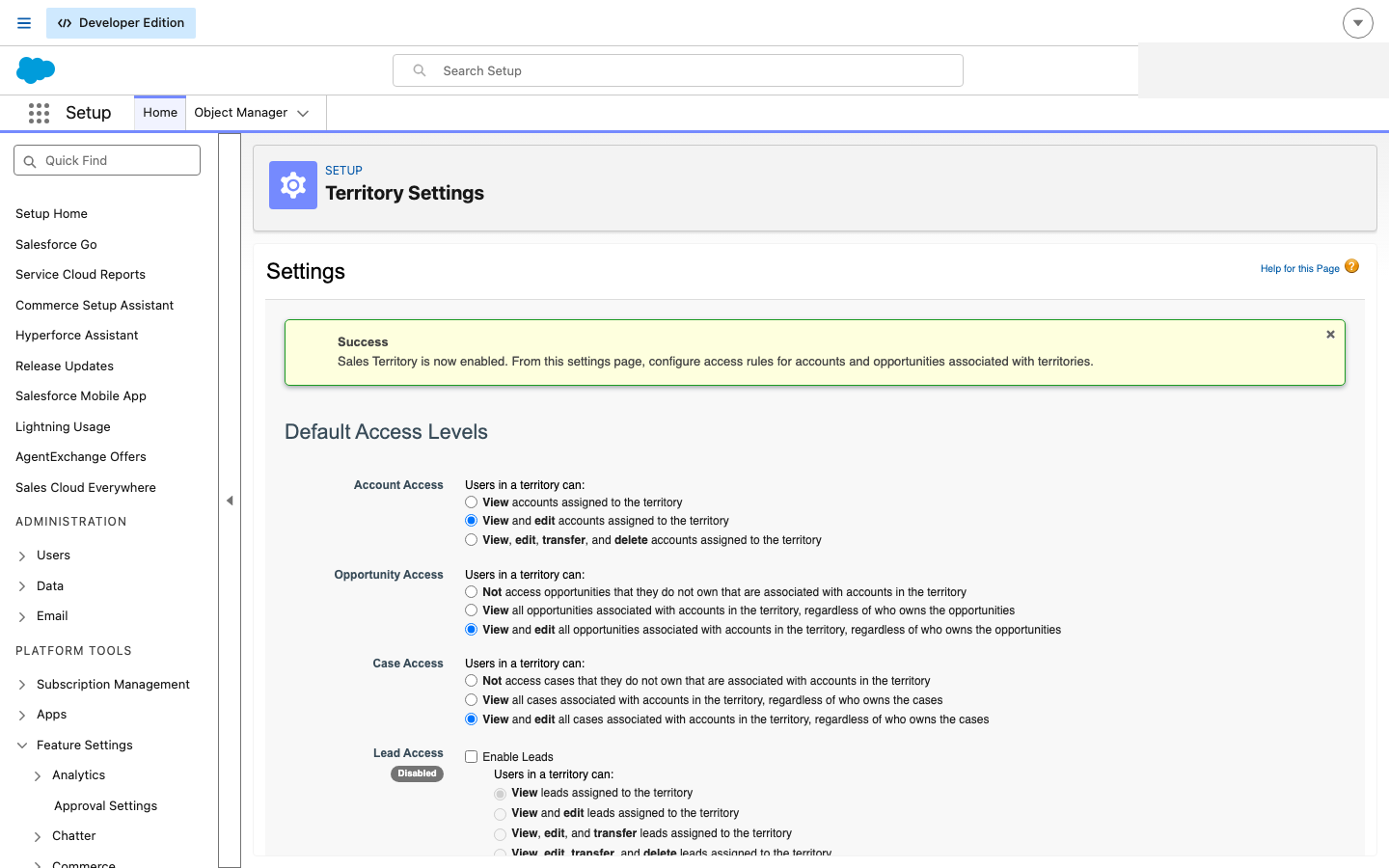
Enterprise Territory Management. Territory Mapper ships no custom objects of its own — it works on Salesforce's territory records — so this has to be on before anything else will work.
Territory Mapper does not bring its own territory object. It uses Salesforce's own Enterprise Territory Management and adds fields and screens to it. ETM must be on before you install.
If you are not sure whether it is already on, look for Territory Models in Setup. If that item is absent, ETM is off.
🔴 In most orgs this is a one-way switch. Read Salesforce's own warning on that page before you press it. It is not a Territory Mapper setting and we cannot turn it off for you.
2. Install the package
Install from the AppExchange listing link. Install into a sandbox first.
Install for the profiles or users who need it. Installing for admins only means everyone else sees nothing at all, which reads as a broken install rather than as a choice somebody made during setup.
3. Check the install took
Setup → Installed Packages.
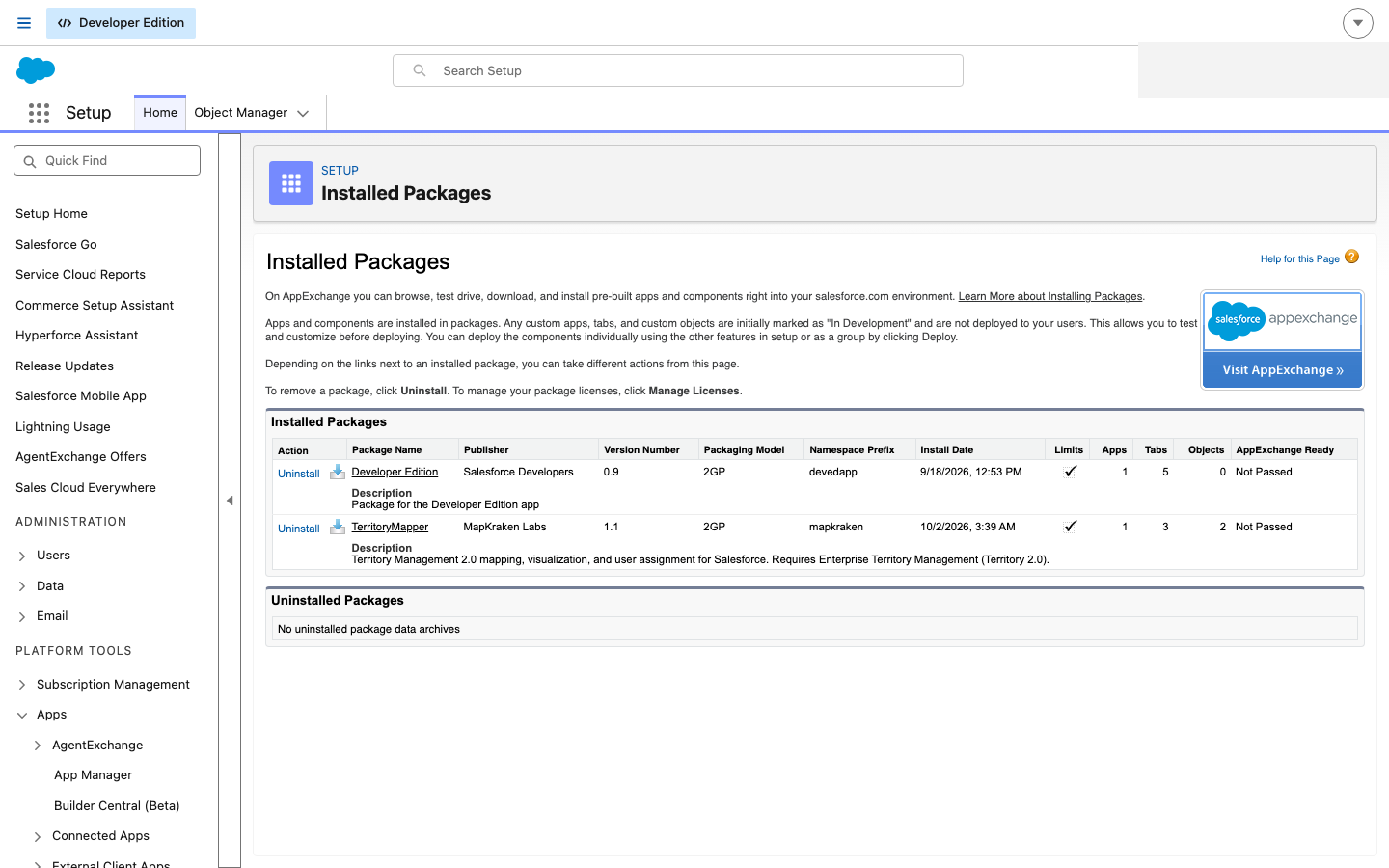
Territory Mapper installed. The namespace prefix is mapkraken and the packaging model is 2GP — both are worth noting, because the namespace is what every packaged component is prefixed with from here on.
Three things on that row are worth reading rather than skipping:
| Column | What it tells you |
|---|---|
| Version Number | Quote this whenever you contact MapKraken Labs. Behaviour differs between versions and it is the first thing we ask |
| Namespace Prefix | mapkraken. Every packaged permission set, tab, field and metadata type is prefixed with it, which is why they do not sort next to your own components in Setup lists |
| Limits / Apps / Tabs / Objects | Objects is not zero, and it is not your data model. The package adds fields and metadata types to Salesforce's territory objects; it does not add custom objects of its own |
What the package brings, and what it does not
This is the section that saves the most time later, because most "it doesn't work" reports are about something in the right-hand column.
| The package ships | The package cannot ship |
|---|---|
| The map application and its tab | The callout credential's secret. It ships the address and a placeholder; the value is yours to set — step 2 of setup |
| Three permission sets | Anybody assigned to them. A fresh install assigns nothing to nobody |
| Four custom metadata types, including Territory Role | Any roles. The package ships none, deliberately — Defining territory roles |
| Fields and buttons on Salesforce's territory objects | Your org's CORS entry, which the browser needs before the map can save anything |
| The assignment logic | Coordinates on your records. Those come from geocoding clean rules, and without them nothing is ever assigned |
Where things live after installing
| What | Where |
|---|---|
| The app itself | The Territory Mapper tab, and two buttons on a Territory Model record |
| Permission sets | Setup → Permission Sets, three of them, all prefixed mapkraken |
| Roles and functional groups | Setup → Custom Metadata Types |
| Your models and territories | Setup → Territory Models — the same records the map edits |
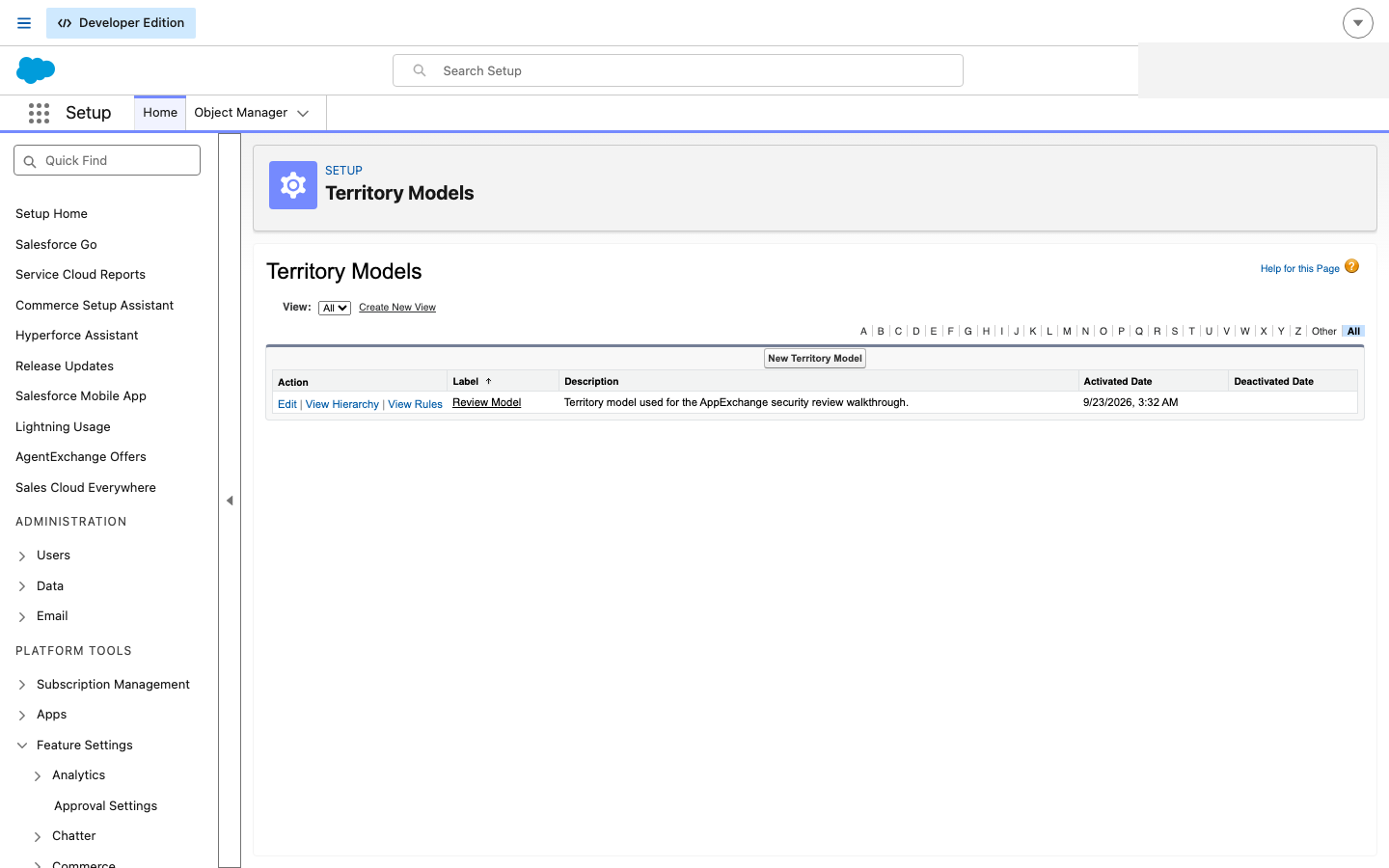
Your models, as Salesforce sees them. Territory Mapper edits the same records — a model you build on the map is a Territory Model here, and a territory is a Territory.
Next
Setting up the org — the six steps that have to happen before anything works, in order, with the three that fail silently marked as such.
Last verified: 2026-10-13 · Owner: MapKraken Labs LLC
Something on this page wrong, or a setup step missing? That is a documentation defect and we want it — tell us and this is the page that gets fixed.