
People, roles and assignment
Two different things get attached to a territory, and mixing them up is the second most common confusion in this product after the two hierarchies.
| Question it answers | |
|---|---|
| Membership | Who works this territory? — a person, with a role |
| Assignment | Which territory covers this account? — a record, placed by its location |
They are stored separately, set separately, and neither implies the other.
Membership — putting people in territories
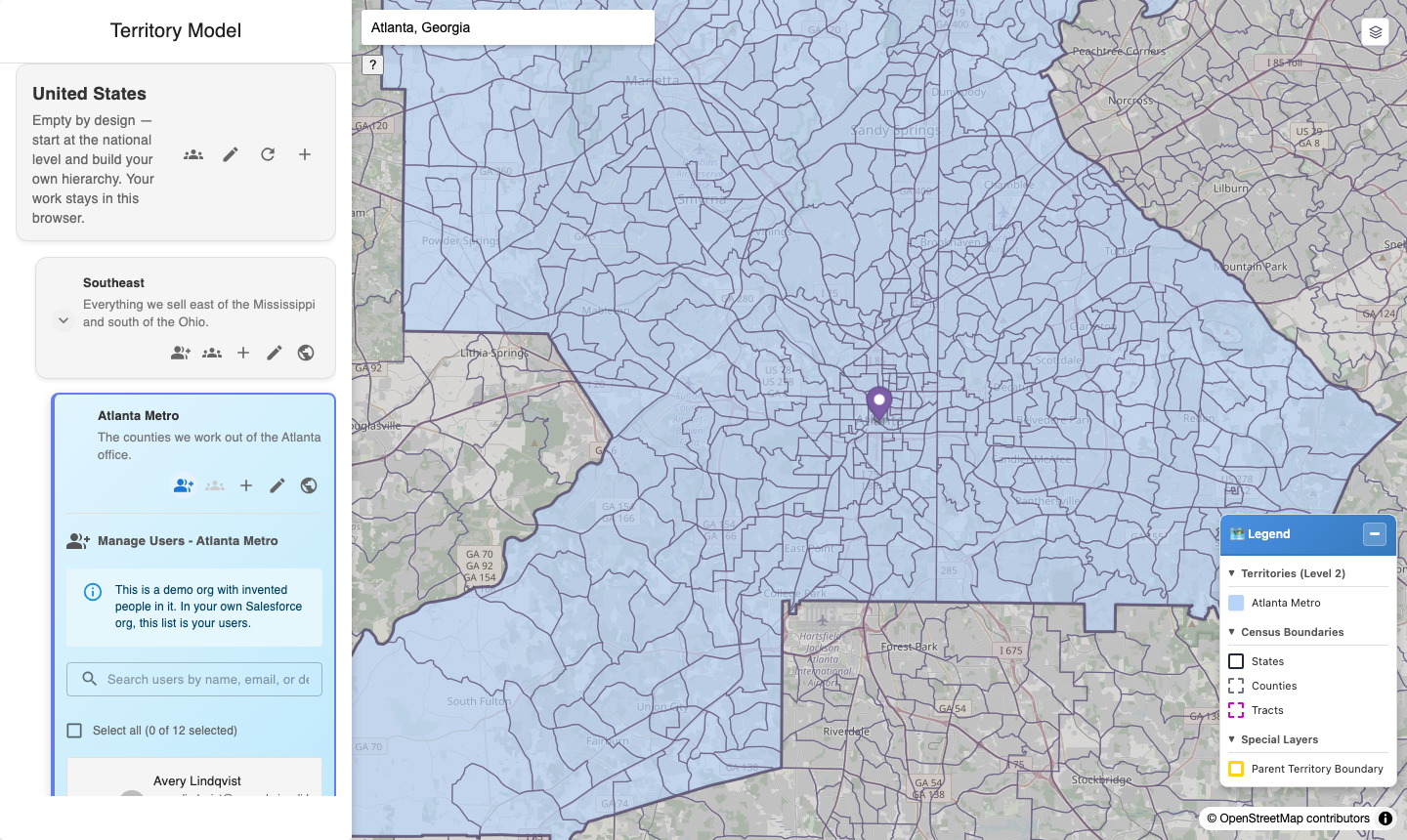
Assigning people. This list is your Salesforce users; here it is a dozen invented ones, and the panel says so.
Press the person + button on a territory card. Search, filter, and tick the people who work that territory.
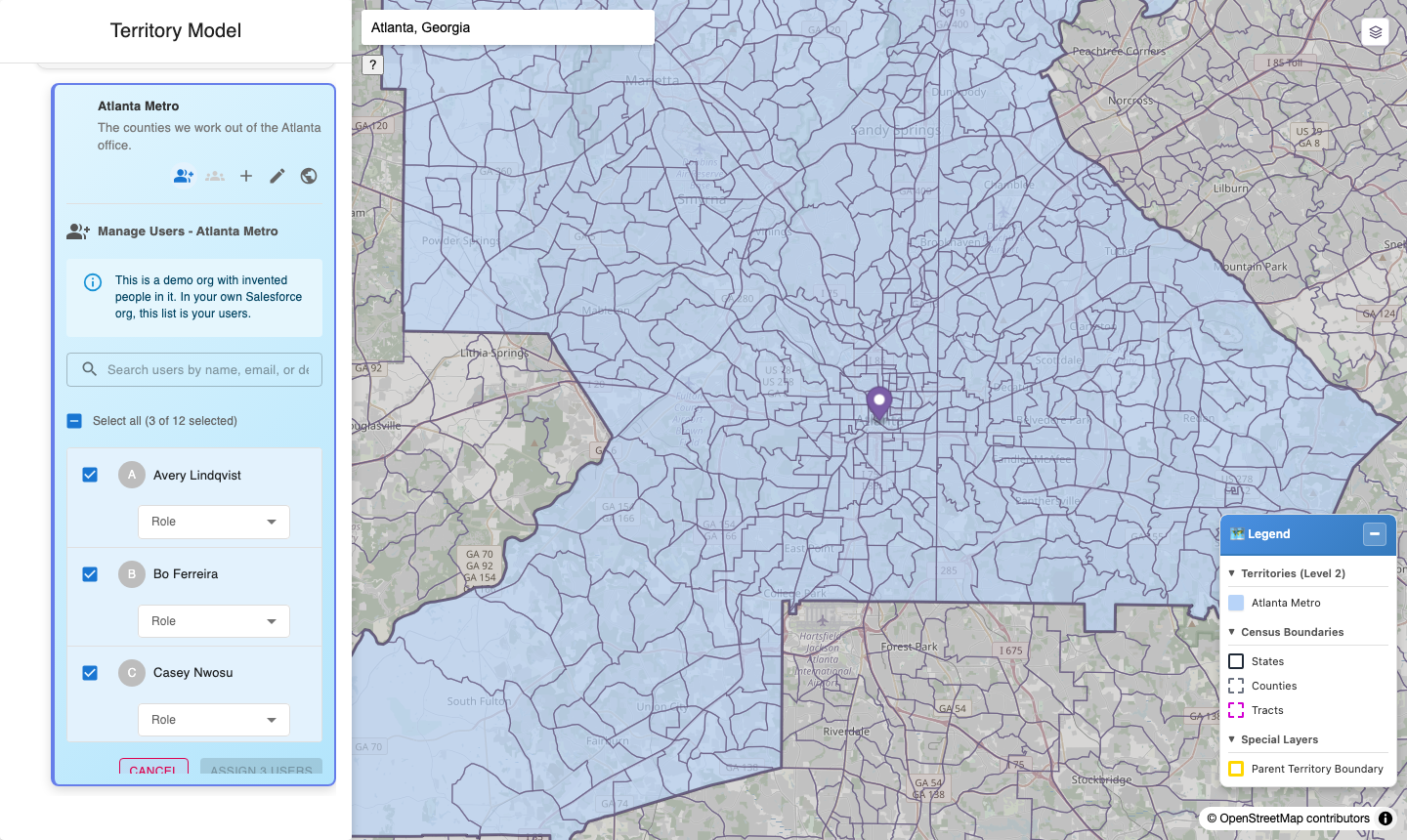
Three people picked. The button counts them, so you can see what you are about to do before you do it.
A person can be in as many territories as you like, with a different role in each.
Setting someone's role
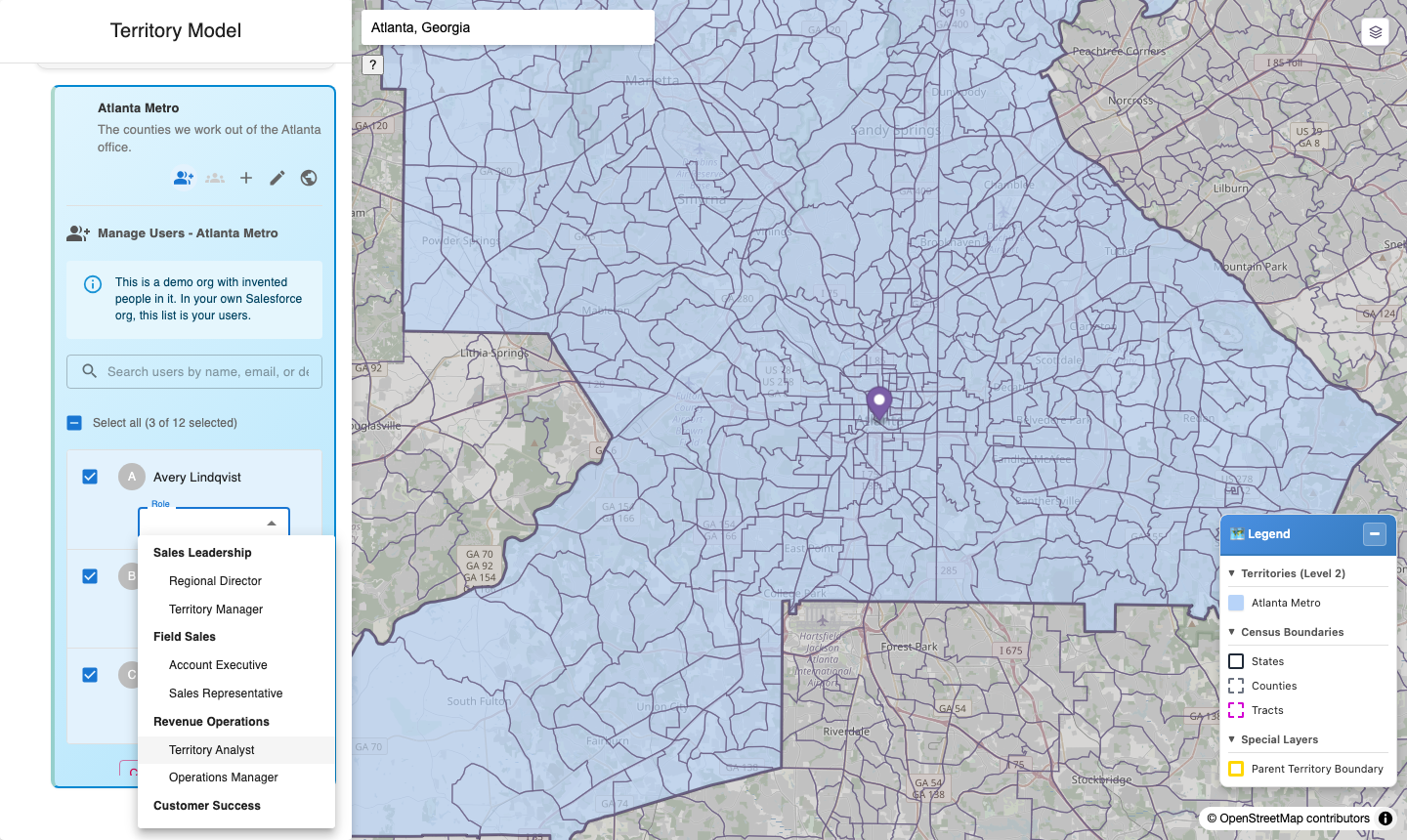
Setting someone's role in this territory. The roles offered are the ones defined on the model in Salesforce Setup — if this list is empty, that is where to go.
A role selector appears for each person you tick, so the role is set as part of the assignment rather than as a second pass afterwards.
🔴 The ASSIGN button stays greyed out until EVERY person you ticked has a role. Not the first one — all of them. If the button will not light up, scroll the list and look for the one you missed; a person with no role is the only thing holding it.
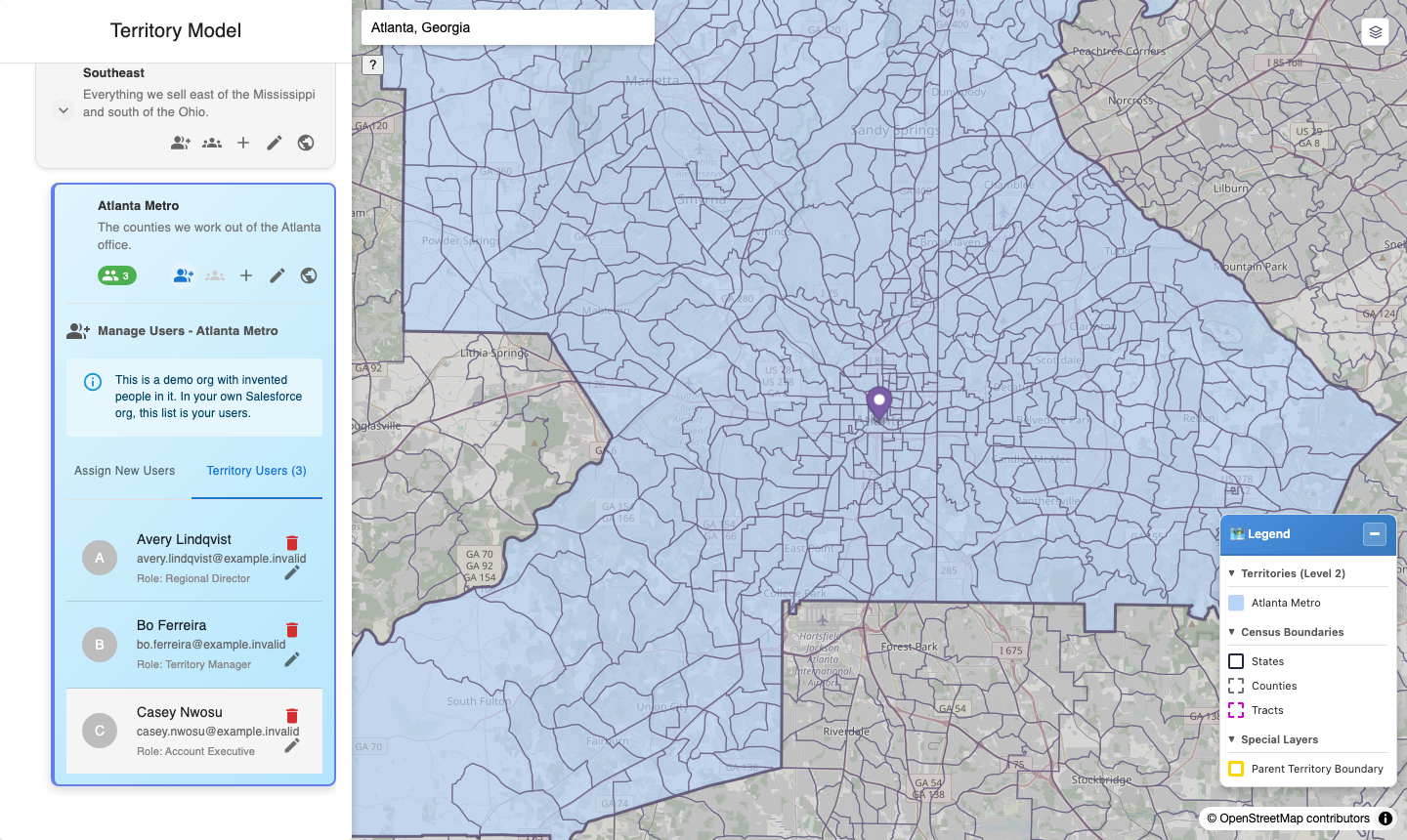
The territory's members. Membership is who works the territory; it is not what decides which records land in it.
Where the role list comes from
Your administrator defines it — see Defining territory roles. Two things follow:
- They are your organisation's words, not Salesforce's and not ours. The package ships no roles at all, deliberately, so nothing arrives pre-loaded with someone else's job titles.
- The list is shaped. Roles can be flat, or nested to show that one sits under another. Nesting is indented in the selector. Whether your list is flat or a hierarchy is entirely your administrator's choice, and they can mix the two.
If the selector is empty, it will say why, rather than showing a dropdown with nothing in it and an Assign users button that never enables. There are two different messages and they need different people:
| What it says | What it means |
|---|---|
| No territory roles are defined in this org yet | Nobody has created any. An administrator does this once — Defining territory roles |
| Roles are defined, but none of them apply to this territory model | They exist but are scoped to a different model. An administrator should clear Territory Model Name on them |
🔴 A role here is a label on the membership. It grants nothing. Giving someone Sales Manager in a territory does not change their record access, their permissions, or anything they can see elsewhere in Salesforce. It records "this is the part this person plays in this territory", and nothing more. It is also unrelated to your org's role hierarchy under Setup → Users → Roles — that is a different thing with a confusingly similar name, and it is changed only in Setup, never from this screen.
⚠️ Spellings still matter, but now they are set once. The underlying field accepts anything, so "Manager", "manager" and "Mgr" would be three different roles. Because you pick from a defined list rather than typing, that is your administrator's problem to get right when they create the roles — not something each user can get wrong.
⚠️ Roles do not inherit. Being a Manager of a parent territory gives you nothing in its children. If someone should hold a role across a branch, add them to each territory in it.
Seeing who covers what
The descendants panel — seeing everything beneath a territory — can group what it lists by role instead of by tree position, which is the view to use when the question is "who covers this" rather than "what is under this".
⚠️ That control is greyed out until functional groups are defined, because it reads its list of roles from them rather than from the role catalogue. See Functional groups.
Assignment — how records reach territories
Records are assigned by where they are, automatically:
- Salesforce geocodes the record's billing address and writes latitude and longitude.
- Territory Mapper notices the coordinates arriving.
- It tests the point against your territory boundaries.
- It writes the assignment.
Nothing about this is manual and nothing needs scheduling. It happens as records geocode.
🔴 Step 1 is the one that fails
If geocoding clean rules are not enabled and configured, no record ever gets coordinates and step 2 never fires. Nothing errors; nothing happens at all.
This is the most common cause of "assignment isn't working". Check it — two minutes.
What gets written
A record assigned automatically is associated with every territory containing it, at every tier — if its point falls inside Southeast → Florida → Orlando Metro, all three associations are written, not just the deepest.
⚠️ A record assigned by hand from the map gets only the deepest territory. The two paths disagree, and nothing stored tells them apart. If you compare records assigned automatically against records assigned manually, they will look inconsistent — because they are. This is a known open question rather than a setting you can change.
When there is no single answer
Assignment assumes a point falls in at most one territory per tier. Nothing enforces that, and territories in a model can overlap. A point inside an overlap is assigned to both, and neither is wrong from the system's point of view.
If a record has more territories than you expect, look for overlapping boundaries first.
What is not assigned
Only records with coordinates. No coordinates, no assignment — the record lands in the exception queue as NO_GEOCODE, which is the queue telling you the address needs work rather than the map.
Only objects that are configured for it. If a record type you expect to see is not being assigned, check with whoever set up the org before assuming a boundary problem.
What does NOT happen
Each of these is a reasonable assumption and each is wrong.
| Assumption | Reality |
|---|---|
| "I changed a boundary, so records will move" | No. Nothing re-evaluates on a boundary change. Use Re-run after a fix in the exception queue |
| "I fixed an address, so it will re-assign" | The record is re-processed when its coordinates change — a corrected address that re-geocodes does start assignment again. A change that does not move the point does not |
| "Adding someone to a territory assigns their records" | No. Membership and assignment are unrelated |
| "A record can only be in one territory" | No. Every tier of its ancestor chain, plus any overlap |
| "There is an audit trail of what moved and why" | Not yet. Boundary-change reassignment with a dry-run preview and an audit trail is planned, not built |
Checking your work
| Question | Where to look |
|---|---|
| Which territories cover this account? | The record's territory associations |
| What failed, and why? | Assignment Exceptions — the exception queue |
| Where is nobody covering? | Coverage gaps — coverage gaps |
| Who works this territory? | The territory's members, on the territory card |
Last verified: 2026-10-13 · Owner: MapKraken Labs LLC
Something on this page wrong, or a setup step missing? That is a documentation defect and we want it — tell us and this is the page that gets fixed.